

Consort Creative
December 17, 2025
A slow website kills conversions — nobody waits for a laggy page.
At Consort Creative, we think of speed like design: structured, efficient, and engineered.
You don’t need a huge redesign to get big results — you need the right framework under the hood.
Here are five design framework secrets to make your WordPress site load faster, rank higher, and perform like a pro.
1. Start with a Lightweight Framework Core
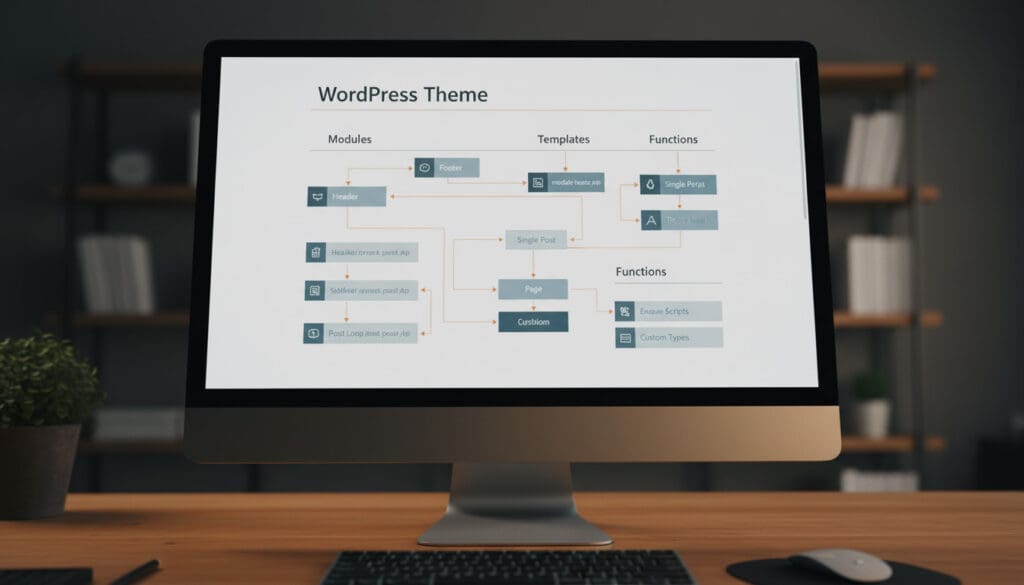
Every high‑speed site begins with clean foundations.
Avoid bloated multipurpose themes that preload tens of scripts you’ll never use.
Instead, build on a lightweight framework such as a stripped‑down starter theme or a modular builder.
Technical Tip:
Use conditionally loaded modules.
Only enqueue style sheets or scripts for the components displayed on the current page.
Even a one‑second speed win here can raise conversions by 7–10 percent.
Use a Design System That Drives Reusability
Design systems aren’t just for big brands.
For small business sites, systems bring visual consistency, reusable components, and clean code.
Your framework should store spacing, color, and typography as design tokens — variables that WordPress can reuse across templates.
Pro Move:
Maintain styling in one central SCSS map file.
Editing values there cascades through blocks and pages, saving seconds of load time per render.
3. Optimize Your Asset Loading Pipeline

Every unnecessary asset slows the user’s first paint.
Prioritize what loads first:
- CSS critical paths should be inline.
- Defer non‑critical JavaScript.
- Compress images with next‑gen formats (WebP or AVIF).
Quick Test:
Run Lighthouse or GTmetrix and note your render‑blocking resources.
Aim for under 90 KB of critical CSS with a single request for core styles.
When speed increases, time on page and search rankings follow.
4. Adopt Component‑Based Design
WordPress 5+ embraces block‑based architecture for a reason.
By building your site with componentized templates — global headers, footers, and reusable sections — you reduce DOM complexity and server requests.
Implementation Tip:
Use PHP includes or block patterns for repetitive design chunks.
This cuts redundant markup by up to 25%, improving structural performance and maintainability.
5. Leverage Caching and CDNs without Overcomplicating

Caching shouldn’t be guesswork.
Set rules for what changes and when.
Dynamic pages (like carts or forms) should bypass cache while static assets sit behind a CDN for instant delivery.
Tool Stack:
LiteSpeed Cache or WP Rocket for local caching.
A global CDN (Cloudflare or Bunny.net) for media and scripts.
Object caching like Redis for database-heavy sites.
Together, these reduce server‑response time by 40% and minimize traffic spikes.
The Big Win: Speed Meets Structure
Performance is a design choice, not an afterthought.
When your framework is modular and optimized, your user experience feels effortless.
You’ll see it in metrics — lower bounce rates, faster times to interactive, and higher Core Web Vitals.
At Consort Creative, we engineer WordPress frameworks that marry creative vision with raw speed.
If you’re ready to turn your website into a performance benchmark:
Lost in the Planning Phase?
Get a custom roadmap for your business. Schedule a free consultation with our guides.
Schedule Your Free Consultation